Make your affirmation audio sound like you
Recording affirmations in your own voice gives you control over the wording, tone, and pauses. You might speak as you would to a friend: warm, direct, and unhurried. The goal is a recording you want to hear again, without needing a polished studio performance.
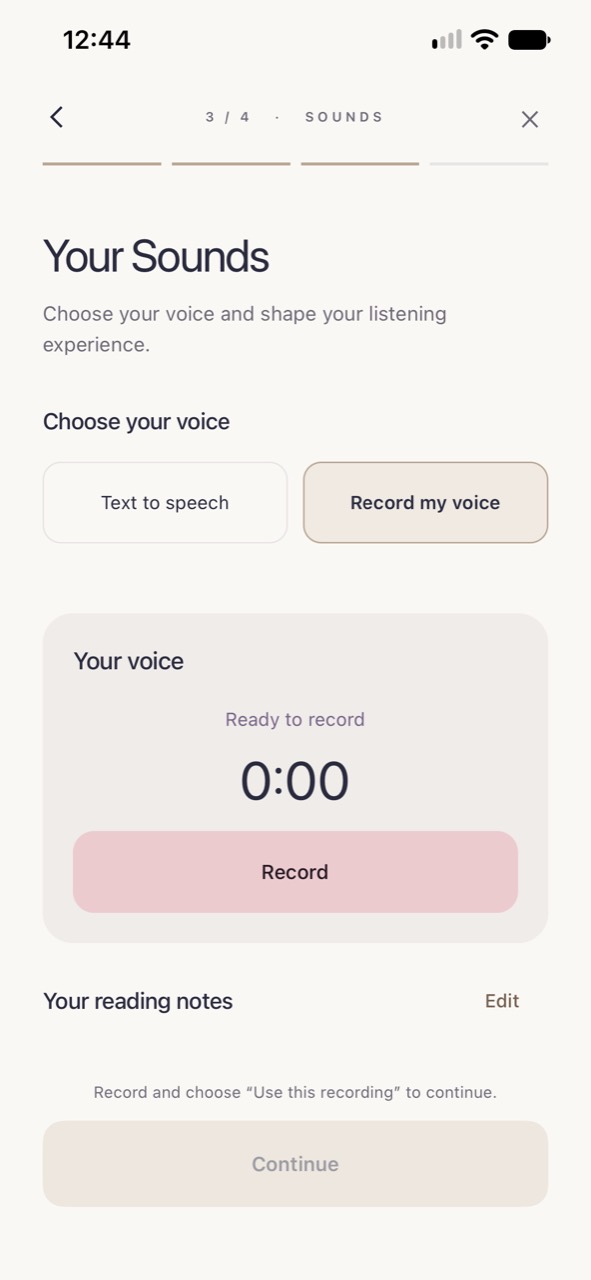
Sublime combines voice recording with audio customization. Once you have chosen your words, select “Record my voice” in the affirmation step. If you would rather skip recording, text to speech is also available.
From a short script to a personal session
Prepare a few useful lines
Choose three to eight affirmations about one situation. Try “I can take a moment before I answer” or “I can ask for what I need.” Read the script once and change phrases you would not normally use.
Record at a comfortable pace
Find a quiet spot, reduce background distractions, and speak naturally into your iPhone. Leave a small pause between lines. Follow the recorder’s on-screen time limit and instructions.
Choose your listening mix
Keep the voice easy to hear, or combine it with a background sound. Adjust background and affirmation volume separately, and set your preferred speed, layers, and duration.
Create and listen
Make the audio, listen to the finished session, and return to it from your personal library. If a phrase feels awkward in playback, revise it for your next recording.
Repetition you can choose
A short recording can become part of a longer listening session. Sublime’s duration settings let you choose the length of your audio without manually copying the same recording across an editing timeline. Speed and layers offer different listening textures; using the most intense settings is not a requirement.
A single voice layer at normal speed is a useful starting point if you want to understand every line. You can also choose no background, which keeps the focus on the voice recording itself.
A voice recording is a personal preference
There is no need to claim that your own voice is scientifically superior to generated speech. Choose it because you like the familiarity and control. Your accent, natural pauses, and ordinary speaking voice all belong in the recording.
For a fuller walkthrough, read how to record affirmations in your own voice. For writing ideas, choose from our 50 self-concept affirmations and adapt them to your situation.
Questions, answered.
Do I need a microphone?
You can start with your iPhone’s microphone. A quiet room and a natural speaking distance are practical first steps; studio equipment is not required.
Can I listen without background sound?
Yes. Sublime includes a No Background option and separate voice and background volume controls.
Is my voice guaranteed to make affirmations more effective?
No. A familiar voice may be your preference, but Sublime does not claim that recording your own voice guarantees stronger psychological effects.